I use Claude Code every day. Not to experiment, but to ship. Over the past year I’ve built three products entirely through the CLI: an AI audio intelligence tool, a compliance SaaS platform, an entire PM framework. This page you’re reading was built with it too. I’m not an engineer. I’m a product manager who now builds, because Claude Code collapsed the gap between what I can imagine and what I can make real.
And the thing that slows me down most isn’t capability. It’s that I can never really see what Claude is thinking, so I can learn from it more often.
Context management in Claude Code is invisible. There is no real way for me to easily understand what Claude remembers, what it’s forgotten or what just got compressed out of the conversation. I write something important in message #4, and by message #40 I’m watching Claude confidently operate on stale assumptions, except I can’t tell they’re stale until something breaks.
My workarounds tell the story, kinda.. I run --dangerously-skip-permissions because the alternative is approving every file read while trying to keep a train of thought alive. I stop mid-task to ask Claude to write things into its own memory files, not because I want to manage memory, but because I’ve learned the hard way that conversations are disposable and nothing persists unless I force it. I’ve built a whole ritual around CLAUDE.md files (project conventions, architecture decisions, things I never want to re-explain) but during a session I can’t see whether any of it was loaded, partially loaded, or silently dropped.
While these might seem like power-user complaints, they’re the walls that every non-engineer will hit as Claude Code’s user base expands, and right now, the only people who can navigate them are people comfortable reasoning about token windows and context compression (which is exactly the audience Anthropic needs to grow beyond).
Context should be a first-class, visible layer in Claude Code, not as a debugging tool for engineers, and it should be treated as a core part of the interface for everyone.
What does that look like? I think about it as git status for Claude’s mind. A persistent, glanceable sense of: what’s loaded, what’s been compressed, what’s in long-term memory, what’s fading. Not a token counter, more like a semantic map really, something that answers the question every user eventually asks mid-session: “does Claude still know what we’re doing?”
Even within a CLI, “visual” doesn’t have to mean a GUI, it can mean structure, it can mean a --context flag that shows me what’s active. It can also mean a subtle indicator when something I said earlier got compressed, or if the context changed. It can mean memory writes that confirm what stuck and do not disappear into silence. It can also mean making the invisible visible, which is, when you think about it, the entire job of product design.
The right solution probably isn’t one feature. It’s probably a design principle around the user never having to guess what Claude knows. Every decision that flows from that principle, what to surface, when, in what form, is a product problem, not an engineering problem.
Claude Code today is primarily a tool for engineers who understand LLMs, and while that’s a defensible starting point, it’s not the destination, really. The next 10x of users (PMs, designers, founders, operators, people who never touched code OR product management but have ambitious ideas) will be people that are technically curious, building daily, but not reasoning about attention mechanisms when something goes wrong. They’ll hit the context wall, and if the product doesn’t help them see what’s happening, they’ll blame themselves, lose trust, consider building “too hard” and leave.
I’ve spent the past decade at this intersection. I shipped an AI camera app to a million users before most people had heard of neural style transfer. I pivoted a startup into a marketplace that competed with Uber across five countries. I’m building ML-powered safety systems for airlines that carry hundreds of millions of passengers. And for the past year, I’ve been living inside Claude Code, using it as my primary tool for the entire product process, from idea to discovery, through research, concept, prototyping and shipping in production.
I’ll be one of your power users for as long as you exist, probably. And although I am not looking for changing my career path right now, as I’m building airline safety products that have great impact, I do believe this is a unique opportunity for me to shape this new world from the inside, bridging what the models can do with what users actually need.
AC
10+ years building products for millions of users. Now building with AI daily, prototyping in Claude Code, shipping with frontier models.
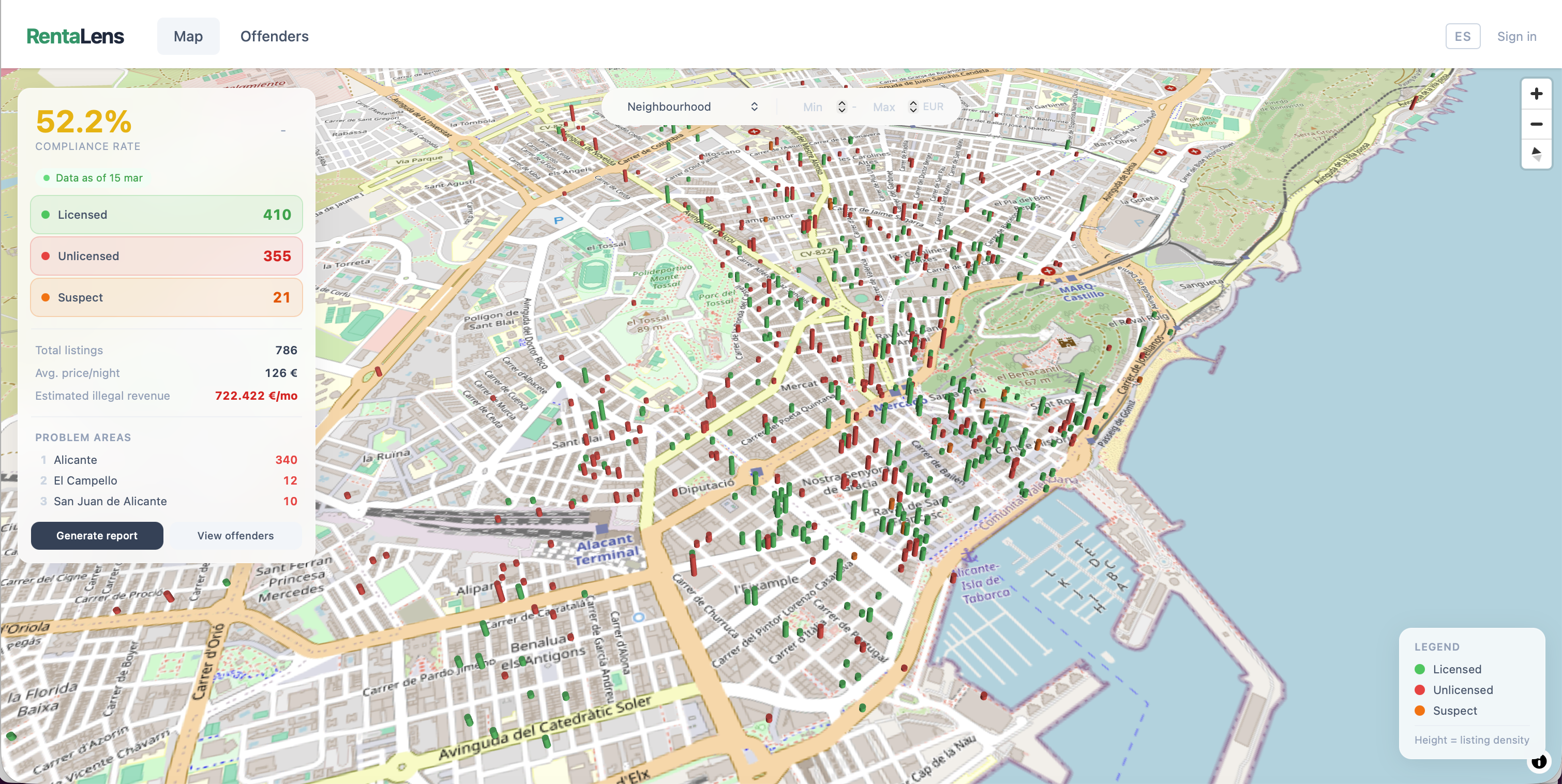
B2G SaaS that helps Spanish city halls detect unlicensed short-term tourist rentals. Ingests Airbnb listing data, cross-references against official tourism registries (Comunitat Valenciana VUT registry), and surfaces non-compliant properties through a geospatial dashboard.
73% of tourist flats in Alicante are unlicensed. Municipal enforcement teams literally browse Airbnb manually. Spain's new Royal Decree 1312/2024 (effective July 2025) requires all short-term rentals to register, but enforcement infrastructure doesn't exist.